
Download the app to your phone and cast to your TV. Took me like 3 minutes and not complicated at all.


-best things to say when someone let's loose an audible fart:
1. That sounds tampered with.
2. That's gonna itch when it dries.
Uhh. Which app?Download the app to your phone and cast to your TV. Took me like 3 minutes and not complicated at all.


WTF. Is this English?If you don't have a Fire Stick, you can stream Live Net TV on your Roku. Simply download the BlueStacks Emulator and install it on your PC. Then on your web browser, search for LIve NetTV and download the Live NetTV APK file. Launch BlueStacks and Install APK. Open the Live NetTV APK and it will be installed on your PC via BlueStacks. Launch Live NetTV. Press Windows + K keys on your keyboard simultaneously. Choose Roke device from your list of devices. Now, on your television you will need to choose Allow. But first you must set up screen mirroring. To do that, press the Home button on your remote an choose Settings > System. Choose the Screen mirroring option and then the Screen mirroring Mode option. Choose the Prompt option to always ask your permission each time before mirroring other devices on Roku.
Pretty simple. This is how I watch my Blue Jays.


 ) but I just stopped the UK fan life I lived cold turkey out of time necessity.
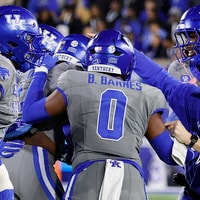 KSR Football
Kentucky football moves up in latest Coaches Poll
KSR Football
Kentucky football moves up in latest Coaches Poll
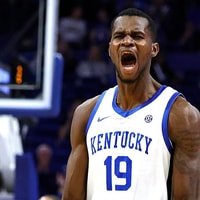 KSR Basketball
Ousmane N'Diaye's green light isn't going anywhere: 'We shoot every open shot.'
KSR Basketball
Ousmane N'Diaye's green light isn't going anywhere: 'We shoot every open shot.'
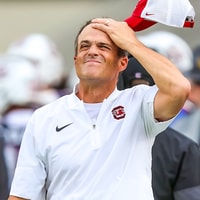 KSR Football
Shane Beamer thinks 'nobody in the SEC' has avoided a hangover like USC—even though Kentucky just did it
KSR Football
Shane Beamer thinks 'nobody in the SEC' has avoided a hangover like USC—even though Kentucky just did it
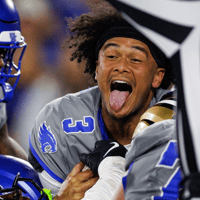 KSR Football
CFP Projections: Where Kentucky stands coming out of the bye week
KSR Football
CFP Projections: Where Kentucky stands coming out of the bye week
 KSR Football
KSR Today: Let the biggest November in UK Football history begin
KSR Football
KSR Today: Let the biggest November in UK Football history begin


