
Look-A-Like Thread: 2025 ASU Sol Diablo Edition
- Thread starter DawgsOnTheWing
- Start date
You are using an out of date browser. It may not display this or other websites correctly.
You should upgrade or use an alternative browser.
You should upgrade or use an alternative browser.


 John Belushi

 Richard Pryor
Uncle Phil, Fresh Prince
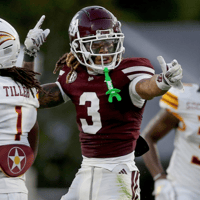
 No look alike, just saw he was from MS
 No look alike, included because of the name and dumb cap
Attachments
-
 1756995820417.png136.1 KB · Views: 0
-
 1756996278246.png165.7 KB · Views: 2


I still don't understand how to get them to appear side by side.
Chamon Mayayer / Shannon Sharpe


Sam Leavitt / Don Dawson


Tate Romney / Homelander


Jordon Crook / Beetlejuice shrunken head ghost


Zyrus Fiaseu / Geico Caveman


Justin Wodky / Brian Blessed as Vultan


Kenny Dillingham / Bob's Big Boy


Not to sound racist, but...

I still don't understand how to get them to appear side by side.
Left click on the picture you want to adjust the size on and make the blue boxes appear (see above screenshot). Then use the pointer from the mouse and put it on the blue box and hold the left button down and move one of the blue boxes out or in (I use right top one ) to make it larger or smaller. Don't know how others do it but that works for me.

Attachments
-
 1757016082875.png182.7 KB · Views: 1


It's amazing how much that coach looks like Hines Ward **


Latest
-
01
 Maroon and White
Confidence high as Mississippi State Soccer preps for NCAA Tourney trip to Notre Dame
-
02
 Maroon and White Football
Last Call Predictions for 2026 Egg Bowl
-
03
 Maroon and White Football
"We can make it right": Bulldogs CB Kelley Jones' mind on his fans, his matchup, and winning the Golden Egg
-
04
 Maroon and White Football
Mississippi State at Ole Miss: How, where and when to watch the Egg Bowl
-
05
 Maroon and White
Keys to Victory for Mississippi State in the Egg Bowl