OT: Digital HD Antenna (cord cutting continuation?)
- Thread starter treeddeep
- Start date
You are using an out of date browser. It may not display this or other websites correctly.
You should upgrade or use an alternative browser.
You should upgrade or use an alternative browser.
Digital antennas pick up the over-the-air stations, like CBS, ABC, and ones you've never heard of, like THIS tv or BOUNCE. if you wanna stream ESPN, you'll need some sort of wifi connection/LTE connection and a roku/fire/computer. As far as antennas, I'm a big fan of the Leaf. It's great.
Please correct me if I'm wrong.
Please correct me if I'm wrong.
As already stated, the antenna will pick up CBS, ABC, NBC, Fox.
Watch ESPN will require you to log in through your television provider. This means Comcast, AT&T, DirecTV, etc. Since you will have an antenna you will not have this option. See if a friend or parent will let you "share" their log in. It is implied that you will need a high-speed connection.
If you are handy and like building things then here is your antenna: http://www.tvantennaplans.com
Otherwise just pick one up on Amazon.
Watch ESPN will require you to log in through your television provider. This means Comcast, AT&T, DirecTV, etc. Since you will have an antenna you will not have this option. See if a friend or parent will let you "share" their log in. It is implied that you will need a high-speed connection.
If you are handy and like building things then here is your antenna: http://www.tvantennaplans.com
Otherwise just pick one up on Amazon.
I'm interested as to what Internet the people saying WatchESPN isn't HD for them. I've got 25/25 and once buffered, I'm golden.
I picked up a Leaf. Live in Starkville. I get Fox and CBS, and the two sub-stations (my ms, cow, this-TV and mytv.
I really expected more than that. What can I try to get more channels?
I really expected more than that. What can I try to get more channels?

Yes, it just depends on where you live. I don't think it really matters what brand of HD antenna one buys. I bought a $15 RCA flat antenna from Walmart. I pick up 11 channels(all major networks and several sub channels) here in Meridian. Picture quality is very good.

I picked up a Leaf. Live in Starkville. I get Fox and CBS, and the two sub-stations (my ms, cow, this-TV and mytv.
I really expected more than that. What can I try to get more channels?
Go here http://antennaweb.org and you can see exactly what channels are even possible to receive in your area and what sort of antenna you need.
I also have to agree that my picture is great on ESPN via Sling or on Watch ESPN via Roku2.
We do not have Comcast TV at all, but the Xfinity Internet login still gives us access to Watch ESPN.
Everyone's responses so far are spot on. We just cut the cord earlier this month. We switched to Sling tv. So our current setup is a Roku (Sling, Netflix, Hulu, and Plex) and a digital antenna in the living room. I've wired the signal coming from the antenna to a central point and shoot it back out to all my tv's in the house so we can at least watch local channels on all tv's.
What I would tell you is similar to what Captain Ron said, go to antennaweb.org and figure out where your towers are (as well as distance) then make your antenna decision based on how far they are away from your house. The Leaf is the most well reviewed antenna on Amazon. If you don't get a Leaf, try to at least get an omnidirectional antenna. These come in handy if there are towers in every direction (north, south, east, west, etc). Overestimate on the power of the antenna before you buy. So if your towers are 40 miles out, get you an antenna that can reach 60 miles (unless you're on top of a big hill or in the middle of a city or something).
As some have stated, you will lose the DVR. We never used the pause and rewind feature much on ours so it wasn't a big deal to ditch that.
Because your "lifeline" for tv is your internet speed, I'd try to ramp it up as fast as you can get it (we currently have 75mbps but a wired connection brings in close to 90). This is definitely overkill in terms of speed but you never know when everyone in the neighborhood wants to start watching porn late at night and you're trying to watch some Pac 10 game.
What I would tell you is similar to what Captain Ron said, go to antennaweb.org and figure out where your towers are (as well as distance) then make your antenna decision based on how far they are away from your house. The Leaf is the most well reviewed antenna on Amazon. If you don't get a Leaf, try to at least get an omnidirectional antenna. These come in handy if there are towers in every direction (north, south, east, west, etc). Overestimate on the power of the antenna before you buy. So if your towers are 40 miles out, get you an antenna that can reach 60 miles (unless you're on top of a big hill or in the middle of a city or something).
As some have stated, you will lose the DVR. We never used the pause and rewind feature much on ours so it wasn't a big deal to ditch that.
Because your "lifeline" for tv is your internet speed, I'd try to ramp it up as fast as you can get it (we currently have 75mbps but a wired connection brings in close to 90). This is definitely overkill in terms of speed but you never know when everyone in the neighborhood wants to start watching porn late at night and you're trying to watch some Pac 10 game.
All the TV channels in the Starkville area are broadcast from the Houston/Woodland area. NBC WTVA is the only channel that broadcast in VHF. All the others are UHF. I live in Tupelo and have an antenna on the roof and still had trouble getting WTVA with consistently strong signal. I had to add a antenna signal booster to get WTVA to be in the 90% signal strength range. I get all the networks, PBS, CW, My MS, WLOV Ind all with signal strength from 90-100%.

We cut the cord about seven years ago. Couple of things to help with the transition and getting live sports:
1. There's no such thing as a 'Digital' or 'HD' antenna. EVERY television antenna made since the UHF era is capable of receiving Digital HD signals over the air (OTA) signals. The only thing that has to be digital is your receiver. If your television was made in the past, say, 10 years, it should already have this built in. Only older (generally tube) TVs are going to need an extra apparatus. Whole point of that is focus on strength and directional capabilities, NOT that it's labeled 'Digital HD'. Others here have put out the best sites for determining what you need.
2. As far as football, you are only going to get the local network and syndicated games with an antenna only. This would be ND on NBC, SEC on CBS, B10/B12/Pac12 on Fox (1-2 games on Saturday), some combination of games on ABC (generally big nonconference matchups or "brand name" rivalry games), and whatever syndicated packages are available in your area (ACC network, etc.) To get WatchESPN, you'll need something like Amazon Fire TV, Roku, Xbox 360/One, Apple TV, or, if you're somewhat tech savvy, you can connect your computer directly to your television. To see the devices that come with a WatchESPN app, see: http://espn.go.com/watchespn/apps
3. When you're searching for devices that stream WatchESPN, keep in mind that "SEC Digital Network" is NOT the same as "SEC Network" or "SEC ESPN Network". The SEC Digital Network is a collection of clips, interviews, replays, etc., not live streaming of full games.
4. Your biggest (or most expensive) hurdle is going to be getting access to WatchESPN. It used to come packaged with your internet service (as ESPN3 or ESPN360), but they reorganized this a few years ago so that you only get select out of market games with the ESPN3 package, but most of what you want is going to be through WatchESPN, which is dependent on your cable or satellite provider (which you're trying to ditch). So... if you're lucky enough to have a family member or close friend that has dish or cable and they are willing to give you their username and password, you can use that to access WatchESPN on one of the devices I listed above. There are two catches here. Ths first is that their dish/cable provider has to be a WatchESPN partner (see list in dropdown here https://espn.go.com/watchespn/activate). The second is that your access will be based on the ESPN channels they have in their package, so if they only have ESPN (and not, for example, SECN or ESPN2 or ESPNU), then you'll only get ESPN programming. If this option is available to you, it can also work on other channels as well.
5. If the friend or family member's password option is not available to you, the only non-pirated way I know without a dish/cable subscription is SlingTV. The basic+sports package is $25/month. The thing to keep in mind here is that you're going to have to review the devices that are supported, which are different than WatchESPN by itself (https://www.sling.com/devices).
6. If you do hook your computer directly to your television, the temptation is always there to go to sites like FirstRowSports or any number of Scandinavian-based streaming sites. If you do this, make sure your Anti-virus software is up to date and functioning.
7. If you can make WatchESPN happen, that will take care of most of the Mississippi State games. There will be some that you just won't get though, like games that appear on ESPN Game Plan (usually low-level OOC games) and certain 'away' games (TV rights are generally based on the home team). This will be a bigger deal for the Big 5 OOC home and homes we have in the future.
8. ESPN has the only really viable streaming product. Outside of their mobile apps, the rest of pretty hit and miss, so don't expect to get any games from the following channels: Fox Sports (1 or regional channel), CBS Sports Channel, or NBC Sports (formerly Versus). BYUtv actually has a few apps and they stream the BYU sports that ESPN isn't airing.
9. As far as other services, I'll run through them. Hulu is free. Hulu Plus is not ($8/mo). By default, Hulu is only available on your computer (you can buy special software, but that's a headache I'll address later). Anything that has a Hulu app requires you to fork over the $8/mo for Plus. The movie selection is nothing special, but you get TV Shows up to the night before. Netflix is worth the money, especially if you have kids, but Amazon has been buying up the rights to a lot of TV shows, so it's not the slam dunk it used to be. If you see a movie or TV show you want to watch, go ahead and plan to watch it because it may not be there in a few weeks. If you have Amazon Prime, you can use the Amazon app if it's available on your device. They offer HBO shows up to about the last year or so. Movies-wise, they're about the same as Netflix. The following services generally have apps, are free, and are not dependent on your provider: Crackle, TubiTV, Yahoo Screen. Generally, it's older TV shows and movies and some original programming
10. You don't necessarily need the highest speed for your internet unless you're going to have a lot of devices (TVs, tablets, phones, etc.) streaming at one time. Don't get the lowest speed necessarily, but you might want to start on the lower end and creep up incrementally if it doesn't work out for you. Your wireless router needs to high and centralized to the main devices that will be streaming (like your TVs). It's worth the extra money for a longer Cat6 cable to make that happen.
11. While it's running, your microwave can mess with your wifi connection.
12. Depending on how technical you are, software like PlayOn or Plex can be useful when there's no native app to get you the content you want. http://www.playon.tv http://plex.tv
Hope that helps and good luck!
1. There's no such thing as a 'Digital' or 'HD' antenna. EVERY television antenna made since the UHF era is capable of receiving Digital HD signals over the air (OTA) signals. The only thing that has to be digital is your receiver. If your television was made in the past, say, 10 years, it should already have this built in. Only older (generally tube) TVs are going to need an extra apparatus. Whole point of that is focus on strength and directional capabilities, NOT that it's labeled 'Digital HD'. Others here have put out the best sites for determining what you need.
2. As far as football, you are only going to get the local network and syndicated games with an antenna only. This would be ND on NBC, SEC on CBS, B10/B12/Pac12 on Fox (1-2 games on Saturday), some combination of games on ABC (generally big nonconference matchups or "brand name" rivalry games), and whatever syndicated packages are available in your area (ACC network, etc.) To get WatchESPN, you'll need something like Amazon Fire TV, Roku, Xbox 360/One, Apple TV, or, if you're somewhat tech savvy, you can connect your computer directly to your television. To see the devices that come with a WatchESPN app, see: http://espn.go.com/watchespn/apps
3. When you're searching for devices that stream WatchESPN, keep in mind that "SEC Digital Network" is NOT the same as "SEC Network" or "SEC ESPN Network". The SEC Digital Network is a collection of clips, interviews, replays, etc., not live streaming of full games.
4. Your biggest (or most expensive) hurdle is going to be getting access to WatchESPN. It used to come packaged with your internet service (as ESPN3 or ESPN360), but they reorganized this a few years ago so that you only get select out of market games with the ESPN3 package, but most of what you want is going to be through WatchESPN, which is dependent on your cable or satellite provider (which you're trying to ditch). So... if you're lucky enough to have a family member or close friend that has dish or cable and they are willing to give you their username and password, you can use that to access WatchESPN on one of the devices I listed above. There are two catches here. Ths first is that their dish/cable provider has to be a WatchESPN partner (see list in dropdown here https://espn.go.com/watchespn/activate). The second is that your access will be based on the ESPN channels they have in their package, so if they only have ESPN (and not, for example, SECN or ESPN2 or ESPNU), then you'll only get ESPN programming. If this option is available to you, it can also work on other channels as well.
5. If the friend or family member's password option is not available to you, the only non-pirated way I know without a dish/cable subscription is SlingTV. The basic+sports package is $25/month. The thing to keep in mind here is that you're going to have to review the devices that are supported, which are different than WatchESPN by itself (https://www.sling.com/devices).
6. If you do hook your computer directly to your television, the temptation is always there to go to sites like FirstRowSports or any number of Scandinavian-based streaming sites. If you do this, make sure your Anti-virus software is up to date and functioning.
7. If you can make WatchESPN happen, that will take care of most of the Mississippi State games. There will be some that you just won't get though, like games that appear on ESPN Game Plan (usually low-level OOC games) and certain 'away' games (TV rights are generally based on the home team). This will be a bigger deal for the Big 5 OOC home and homes we have in the future.
8. ESPN has the only really viable streaming product. Outside of their mobile apps, the rest of pretty hit and miss, so don't expect to get any games from the following channels: Fox Sports (1 or regional channel), CBS Sports Channel, or NBC Sports (formerly Versus). BYUtv actually has a few apps and they stream the BYU sports that ESPN isn't airing.
9. As far as other services, I'll run through them. Hulu is free. Hulu Plus is not ($8/mo). By default, Hulu is only available on your computer (you can buy special software, but that's a headache I'll address later). Anything that has a Hulu app requires you to fork over the $8/mo for Plus. The movie selection is nothing special, but you get TV Shows up to the night before. Netflix is worth the money, especially if you have kids, but Amazon has been buying up the rights to a lot of TV shows, so it's not the slam dunk it used to be. If you see a movie or TV show you want to watch, go ahead and plan to watch it because it may not be there in a few weeks. If you have Amazon Prime, you can use the Amazon app if it's available on your device. They offer HBO shows up to about the last year or so. Movies-wise, they're about the same as Netflix. The following services generally have apps, are free, and are not dependent on your provider: Crackle, TubiTV, Yahoo Screen. Generally, it's older TV shows and movies and some original programming
10. You don't necessarily need the highest speed for your internet unless you're going to have a lot of devices (TVs, tablets, phones, etc.) streaming at one time. Don't get the lowest speed necessarily, but you might want to start on the lower end and creep up incrementally if it doesn't work out for you. Your wireless router needs to high and centralized to the main devices that will be streaming (like your TVs). It's worth the extra money for a longer Cat6 cable to make that happen.
11. While it's running, your microwave can mess with your wifi connection.
12. Depending on how technical you are, software like PlayOn or Plex can be useful when there's no native app to get you the content you want. http://www.playon.tv http://plex.tv
Hope that helps and good luck!


Google "do it yourself Bowtie antenna". You can literally make one out of some foam core board, aluminum foil, and a part from Radio Shack. I made one to use I n Houston (TX) and it works surprisingly well. Starkville is much different from Houston, but It might be worth testing out before you spend on a real antenna.
I cut the cord about six months ago I am VERY happy live in Columbus have an HD antenna on my roof I get CBS NBC FOX ABC (twice I get Tupelo ABC and ABC33/40 in Tuscaloosa) CW CW21 MY MISS and some others like PBS stuff. I have a Roku 3 and Roku stick on other TV's the stick is all you need and cheaper. I tried Apple TV and Amazon fire stick took them back to Walmart Roku was my favorite all up to you. I was have friends (family) logins that are very nice to Hulu Netflix and Vudu. I have watch ESPN also. Then I pay for Sling TV $20.00 a month (that I share with them it is nice to get friends to do the same split cost) I love it the only thing that I don't get is fox sports and fox sports south (braves).
The Antenna I have was from eBay 150 miles was about $35.00 had an amplifier with it i just used the cable cord from where I had Direct TV easy will then go to all your TV's you will need an Antenna Stand they are $15
http://www.ebay.com/itm/150-Mile-360...item2800490073
Antenna $35
Stand $15
Roku stick $50 (or less)
$100 your on your way then of course what subscriptions you want
The Antenna I have was from eBay 150 miles was about $35.00 had an amplifier with it i just used the cable cord from where I had Direct TV easy will then go to all your TV's you will need an Antenna Stand they are $15
http://www.ebay.com/itm/150-Mile-360...item2800490073
Antenna $35
Stand $15
Roku stick $50 (or less)
$100 your on your way then of course what subscriptions you want
What is the solution going to be when the ISP's start putting limits on the amount of data that can be purchased on a land-based plan?
Right now things are pretty good on the hard-lined aspect as many of the ISP's are battling trying to secure their customer base, prices are pretty low and make for good deal, but what happens to all of this internet based TV watching, when the land-based internet prices rise to the levels that cellular internet prices are. Think about it, why are all of the major ISP's trying to/or have bought/ or merge with the major TV service providers? Just food for thought.
Right now things are pretty good on the hard-lined aspect as many of the ISP's are battling trying to secure their customer base, prices are pretty low and make for good deal, but what happens to all of this internet based TV watching, when the land-based internet prices rise to the levels that cellular internet prices are. Think about it, why are all of the major ISP's trying to/or have bought/ or merge with the major TV service providers? Just food for thought.

Bingo. ISPs that are also part of cable/sat TV conglomerates are already starting to do exactly that. AT&T has a 150gb monthly limit is some areas. They will slowly phase it in, then strong arm you into subscribing to cable/sat packages. It's the smart and easy play for them.
Fox Sports has an app that rivals WatchESPN now too. FSGO. That's how I watched the Gold Cup.
Went to look at FSGO at the iTunes App store and it got 1 1/4 stars out of 5. Reviews are interesting .. what a piece of garbage .. special level of hell .. pathetic .. highly unstable .. horrendous .. complete garbage. Only one semi-positive review in first 10 comments was 'improved.'
Latest
-
01
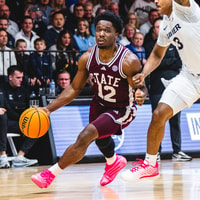 Maroon and White Basketball
Xavier 81-63 Mississippi State: Distance shooting hurts Bulldogs in Greenbrier defeat
-
02
 Maroon and White Football
Kickoff Time Change: Mississippi State vs. Auburn
-
03
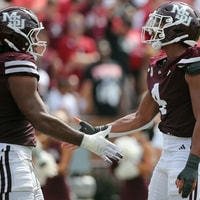 Maroon and White Football
Mississippi State Keys to Victory vs. Auburn
-
04
 Rivals Basketball Recruiting
4-star center Chris Brown commits to Mississippi State
-
05
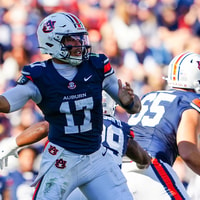 Maroon and White Football
Mississippi State Week 11 Preview: Auburn Q and A