OT: Question for you techies...
- Thread starter DudyDog
- Start date
You are using an out of date browser. It may not display this or other websites correctly.
You should upgrade or use an alternative browser.
You should upgrade or use an alternative browser.

If your laptop has HDMI out then you can use an HDMI cable. If not, you can get a VGA cable (most TVs made in the last 10 years probably have these). Get a VGA+Audio cable to make it easier.
Something like this (again, only if your laptop doesn't have HDMI out)
http://www.amazon.com/RiteAV-VGA-Cable-3-5mm-Audio/dp/B0018M7ZES/ref=pd_sxp_f_pt
Something like this (again, only if your laptop doesn't have HDMI out)
http://www.amazon.com/RiteAV-VGA-Cable-3-5mm-Audio/dp/B0018M7ZES/ref=pd_sxp_f_pt

Not a Techie here,
1.but assuming your Computer has an HDMI port, should work.. or
2.Older computers used a VGA port cable. or
3.Not sure but possibly Bluetooth.
1.but assuming your Computer has an HDMI port, should work.. or
2.Older computers used a VGA port cable. or
3.Not sure but possibly Bluetooth.
VGA input
Also, depending on how old the TV is (perhaps more than 2 years old), most flat screens came with VGA inputs, just a like a computer monitor and a sound input like for your computer speakers. I used this setup for streaming movies and sports with my old desktop.
Also, depending on how old the TV is (perhaps more than 2 years old), most flat screens came with VGA inputs, just a like a computer monitor and a sound input like for your computer speakers. I used this setup for streaming movies and sports with my old desktop.
Is there a way to hook my laptop to my tv and stream SEC network+
Prefer watching the baseball games on my tv instead of laptop. I do have a modern tv with all the available inputs, etc.
thanks for your help.
What kind of computer do you have?
-plug for Apple TV-
Most PCs will have an HDMI port. If it's a Mac, then you'll have to have an adapter, but it still works.
-plug for Apple TV-
It's pretty easy.
-plug for Apple TV-
Also, depending on how old the TV is (perhaps more than 2 years old), most flat screens came with VGA inputs, just a like a computer monitor and a sound input like for your computer speakers. I used this setup for streaming movies and sports with my old desktop.
You won't find many TVs with a VGA input anymore. That's pretty much strictly used for computer-to-monitor or computer-to-projector hookups.
Any PC within 8 years and TV within about 6 will have an HDMI port (though some smaller laptops sacrifice the HDMI port for a thinner design).
I believe Google Chrome will also work. You can cast anything on your screen (ipad, phone, laptop) directly to your tv.
You won't find many TVs with a VGA input anymore. That's pretty much strictly used for computer-to-monitor or computer-to-projector hookups.
Any PC within 8 years and TV within about 6 will have an HDMI port (though some smaller laptops sacrifice the HDMI port for a thinner design).
Hence the "perhaps 2 years old or more", I have a 46 inch Samsung that is 3 years old and it came with the VGA input, but the one I bought last year doesn't. I only mention it because it is a simple solution assuming the laptop and TV have the connection because he likely already has a cable and if not, they are dirt cheap.
Last edited:

Yup. Chromecast or a Roku Stick.
WatchESPN has a channel for Roku and can cast to a Chromecast. I use the Roku stick in the living room and hooked the Chromecast up to the TV in the playroom. If I hear "MICKEY MOUSE" or "ELMO" I just pull up an app on my phone and sling it to his TV.
WatchESPN has a channel for Roku and can cast to a Chromecast. I use the Roku stick in the living room and hooked the Chromecast up to the TV in the playroom. If I hear "MICKEY MOUSE" or "ELMO" I just pull up an app on my phone and sling it to his TV.
+1 ...
Google Chromecast ... costs ~$35 attached to HDMI input on back of TV ... download app ... open WatchESPN in Google Chome Browser ... hit the 'cast' icon on upper right and it 'pushes' what you have on the computer/laptop to TV.
Way easy ... even for 60+ year old, non-geek type!
*chromecast
Google Chromecast ... costs ~$35 attached to HDMI input on back of TV ... download app ... open WatchESPN in Google Chome Browser ... hit the 'cast' icon on upper right and it 'pushes' what you have on the computer/laptop to TV.
Way easy ... even for 60+ year old, non-geek type!

Yep.
I open the WatchESPN, Disney Junior, PBS Go, or whatever app I want to cast to the TV. Start playing the video then press the little logo to cast (you have to download the chromecast app and it puts the little icon in all compatible apps), and it just shows a screen on your phone that it's casting. Press the home key on your phone and then free to use it for whatever else you need.
I open the WatchESPN, Disney Junior, PBS Go, or whatever app I want to cast to the TV. Start playing the video then press the little logo to cast (you have to download the chromecast app and it puts the little icon in all compatible apps), and it just shows a screen on your phone that it's casting. Press the home key on your phone and then free to use it for whatever else you need.
I got chromecast in our bedroom for Christmas to watch baseball games but I haven't used it much except to set it up. It was a much cheaper alternative than Apple TV which I have in the den.
I held off on getting a Chromecast because the reviews of the previous generations said that the "casting" was spotty and didn't compare to Apple TV AirPlay. I got an Apple TV for Christmas then, but if the Chromecast has solved the casting issues then I might look into one for the other TV.
I got one about a month ago and I am pleased with it. Been streaming netflix since chromecast upconverts.

I bought my parents an Amazon Fire TV Stick for Christmas. It was pretty simple to setup and use (SEC Network is included in the ESPN app).
They're in their 50's and managed to navigate it fine.
If you have an Amazon Prime account, it's the best option. If not, any of the 'sticks' are probably what you want to go with.
They plug right into the HDMI port and have a remote.
They're in their 50's and managed to navigate it fine.
If you have an Amazon Prime account, it's the best option. If not, any of the 'sticks' are probably what you want to go with.
They plug right into the HDMI port and have a remote.
Recall ...
That it was in Jun/Jul last year when ChromeCast added ability to do ESPNWatch and others ..
From their site ...
With Chromecast, you can easily enjoy your favorite online entertainment on your HDTV—movies, TV shows, music, sports and games from Netflix, YouTube, HBO GO, Hulu Plus, Pandora, Google Play, WatchESPN and more..
I held off on getting a Chromecast because the reviews of the previous generations said that the "casting" was spotty and didn't compare to Apple TV AirPlay.
That it was in Jun/Jul last year when ChromeCast added ability to do ESPNWatch and others ..
From their site ...
With Chromecast, you can easily enjoy your favorite online entertainment on your HDTV—movies, TV shows, music, sports and games from Netflix, YouTube, HBO GO, Hulu Plus, Pandora, Google Play, WatchESPN and more..
Chromecast is only $25 now I think and its the best money you'll even spend.
There's no problems with streaming as long as you have a solid wifi connection wherever you are using it.
It basically sends a command to the stick to watch whatever you say and your phone isn't affected at all. You can continue to use it as you please.
There's no problems with streaming as long as you have a solid wifi connection wherever you are using it.
It basically sends a command to the stick to watch whatever you say and your phone isn't affected at all. You can continue to use it as you please.
Latest
-
01
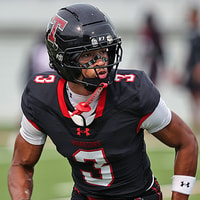 Rivals Football Recruiting
WR Darion Moseley backs off pledge to Arkansas, has Big Ten and SEC schools on his list
Rivals Football Recruiting
WR Darion Moseley backs off pledge to Arkansas, has Big Ten and SEC schools on his list
-
02
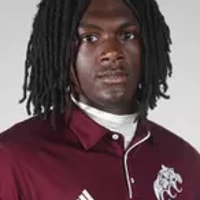 Maroon and White Football Recruiting
JUCO Edge Derion Gould sees the potential at Mississippi State
Maroon and White Football Recruiting
JUCO Edge Derion Gould sees the potential at Mississippi State
-
03
 Maroon and White Baseball
Mississippi State Biloxi baseball schedule altered by weather
Maroon and White Baseball
Mississippi State Biloxi baseball schedule altered by weather
-
04
 Maroon and White Football Recruiting
"Electric" Mississippi State atmosphere boosts big recruiting weekends
Maroon and White Football Recruiting
"Electric" Mississippi State atmosphere boosts big recruiting weekends
-
05
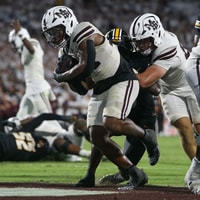 Maroon and White Football
Can Mississippi State's running game keep up?
Maroon and White Football
Can Mississippi State's running game keep up?